

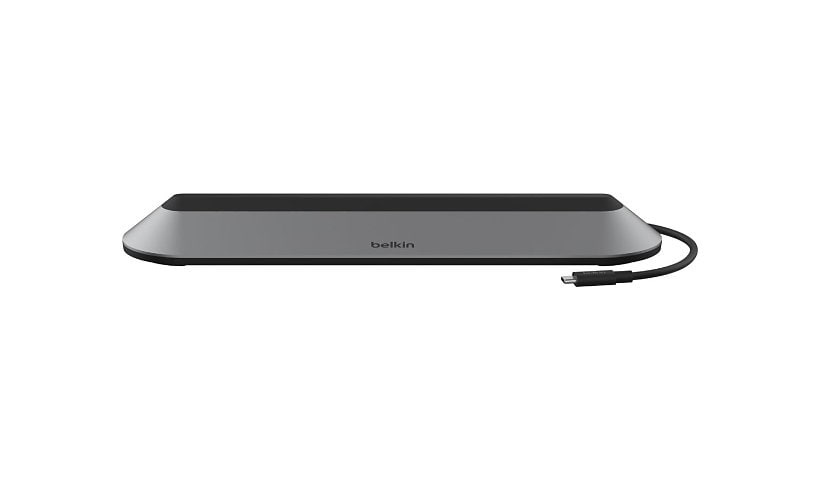
Belkin USB-C Docking Station - 10 Gbps - 100W - 2xUSB-C, 2xUSB-A, 2xHDMI, 1xVGA, 1xEthernet - 4K - Grey
$157.99
Mfg # INC014BTSGY
CDW # 7713928
| UNSPSC 43211602
Quick tech specs
- 11 in 1 Pro Docking Station
- 2 x USB-C
- 2.5 Gigabit Ethernet
- 1 x VGA
- 100W of pass-through power
- USB-C Docking Station
- 2 x USB-A
- 2 x HDMI
- Triple Display Dock

Know your gear
Built with function in mind, this dock helps you stay connected, powered and productive no matter where you place it on your desk. Gain access to 11 additional ports, up to 100W of PD charging, support for up to 3 monitors, and a dock that doubles as a laptop stand. All of this wrapped together with the latest Silicon Motion technology, giving you access to more screens without the need for a driver.
Add to Compare
Enhance your purchase
Belkin CONNECT Universal USB-C 11-in-1 Pro Dock - docking station - USB-C - is rated
2.70 out of
5 by
3.
Rated 5 out of
5 by
Solo from
Faulty HDMI Port After One Month and No Effective
I am extremely disappointed with my Belkin product and even more disappointed with the after sales support.
One of the HDMI ports stopped working just over a month after purchase. Unfortunately, this puts me outside the retailer's automatic return period, so I attempted to contact Belkin directly under warranty.
The South African support number simply does not get answered, and the warranty claim page appears to lead nowhere. As a customer, it is incredibly frustrating to have a product fail so soon and then find no effective way to access support or lodge a warranty claim.
Belkin has built a reputation for quality accessories, which is why I chose this product in the first place. However, a warranty is only as good as the support behind it. A faulty HDMI port after such a short period is disappointing, but the lack of responsive customer service is what has turned this into a very negative experience.
I would appreciate Belkin contacting me and honouring their warranty obligations. Until then, I cannot recommend this product based on my experience.
Date published: 2026-06-03T00:00:00-04:00
Rated 5 out of
5 by
Jim123 from
It works, but, eh.
So far it's working. Had some early issues with a "Monitor not supported" error coming up when I tried to change the display resolution, and then not going away, even when restoring to original settings. Eventually I got things working properly (no thanks to Belkin's technical support).
Also, the USB-C cable placement it awkward. Having it come out of the back, right in the center where the other cables are plugging in, causes some difficult cord configurations and dock placement. You have to bring the USB cable over the top of the dock in order to plug into your computer, and that cable isn't very long. It would have made more sense, to have it come out of the front, or at least side of the dock.
Date published: 2024-03-26T00:00:00-04:00
Rated 5 out of
5 by
Red Rooster from
The Pro Dock is a winner for device addition/mgmt.
As a ham radio operator, I use a lot of add-ons to my laptop computer in order to facilitate: voice and digital communications; store data; and to automate my station. The laptop has a limited number of USB ports. The Belkin Pro Dock makes it so easy to add on and run external hard drives, a variety of USB controllers and accessory items.
Date published: 2023-12-23T00:00:00-05:00